Blogging is such an important part of many businesses’ websites. By creating and publishing content you can offer information, start discussions, and improve your search rankings. When you’re designing your website blog, consider elements that improve the efficacy of your content rather than detract from it. One easy way to do that is to put author boxes on your content. Author boxes help establish legitimacy of the writer, direct readers to social profiles, and make a handy place for your call to action.
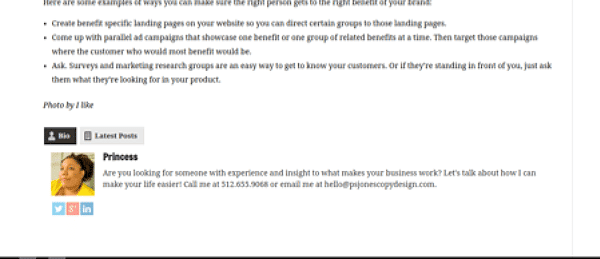
If you’re using WordPress, themes and plugins can create better, more effective author boxes for your business blog. One of the best ones available is Fancier Author Box, a free plugin by ThematoSoup. (There’s also a premium version called Fanciest Author Box, if you’re so inclined.) It displays the author’s name, photo, bio, social media links, and latest posts under content. Readers can quickly see who authored the content and where to find out more.
Install
The install process is the same as most WordPress plugins but I’ll go over it here just in case. First, select “Plugins” on the left side menu in your WordPress dashboard. Click “Add New.” Enter “Fancier Author Box” in the keyword search and hit the Enter key. You’ll see a couple of relevant plugins on the next screen. Select the one by ThematoSoup and click “Install Now.” After the installation, click “Activate” to get started.
If you’d prefer not to go through the WordPress directory, you can download the zip file directly from ThematoSoup here. You can upload it to your website by going to the Plugins page again. Click “Upload” and select the zip file. From there, you can activate the plugin and get started.
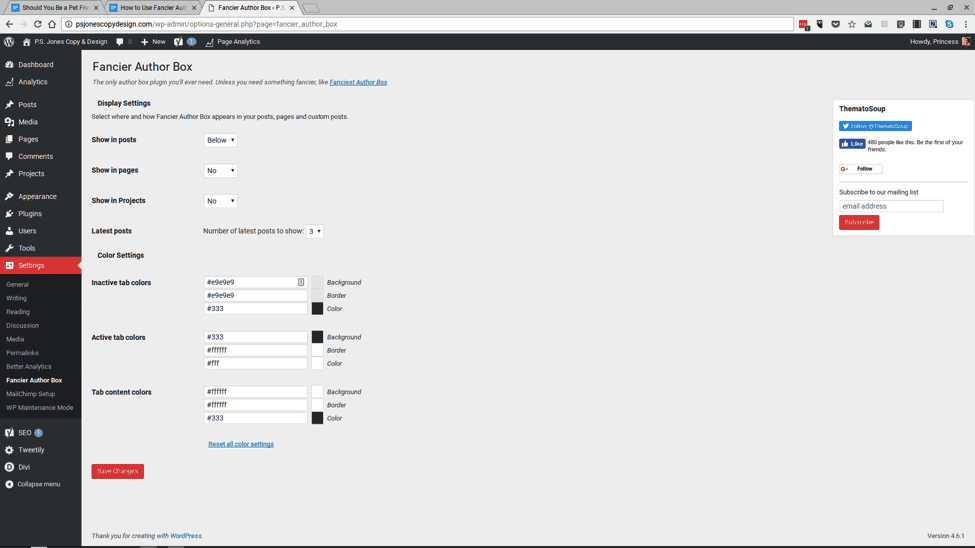 Global Design Settings
Now that you’ve got Fancier Author Box installed, it’s time to set your global settings. You’ll find that under Setting > Fancier Author Box. You’ll have the option to choose whether the author boxes appear on the top of or the bottom of the pages and posts. You’ll also choose whether these boxes appear on posts, pages, or projects, which are all content options on most WordPress installations.
User boxes will show their latest work by default but you can choose how many of those posts are shown. Finally, there are color options for active and inactive tab backgrounds, text, and borders. You can certainly leave them at default but if you’d like to match your website design more closely, you can use these settings to make it work. And be sure to click “Save Changes” before you leave the page.
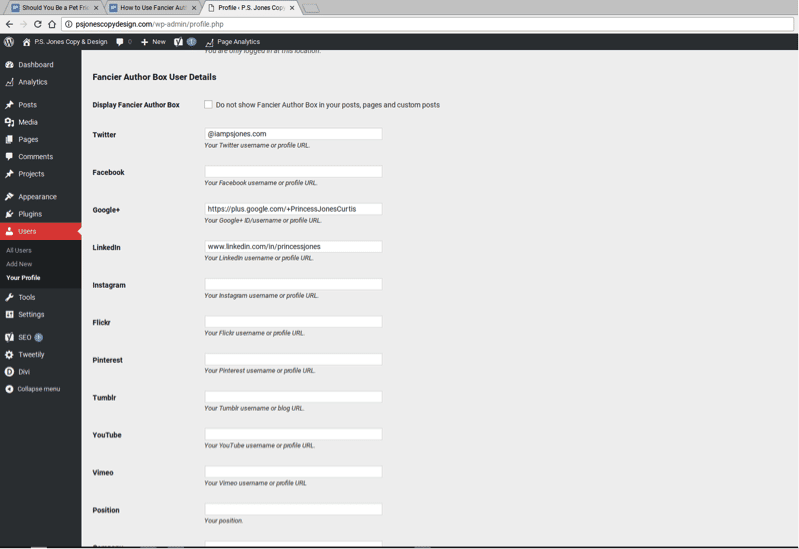
User Profiles
The other component to using Fancier Author Box is each user’s individual profile. All of the fields in the profile section will affect the user’s author box, but the most specific ones will be near the bottom. Scroll down to set Facebook, Twitter, Instagram, and other social networks. You’ll also see options to set your company name and position, if that’s an important factor. Don’t forget to click “Update Profile” to save all of your changes before you leave the page.
But let’s say you have a user that you don’t want to have a fancy author box. (Maybe an admin or website designer who you don’t need to get all of the bells and whistles.) Scroll to the section labeled “Display Fancier Author Box” and check the box next to it. Now, this user’s info won’t display at the end of their posts.